
Setup
01
Test fit first
Place the insert in the case, drawer, or tray before removing any adhesive liner. Check corner clearance, lid closure, and object fit. Be aware that deep or close-fitting inserts may be difficult to remove after they are placed in the case, even without adhesive.
02
Find the front
Your insert may include an engraved GripPlan logo marking the bottom/front edge of the top surface. If present, place that marked edge toward the front when installing the insert.
03
Load tools deliberately
Press each tool straight into its pocket. If a pocket feels tight, work the item in evenly instead of forcing one edge down first.
04
Confirm daily use
Open, close, carry, and tilt the case in the way you normally use it. Many inserts stay in place without adhesive, especially when tools are loaded.
Minor fit adjustments
If a small area needs extra clearance, carefully trim away a little foam with a sharp utility knife. Remove the insert and all tools from the case first, place it on a stable cutting surface, and cut away from your hands and body. Make small, shallow cuts and check the fit frequently—removed foam cannot be replaced.
If the insert needs substantial changes or does not match your order, contact GripPlan before modifying it.
Drawer Installation
Drawers with limited extension
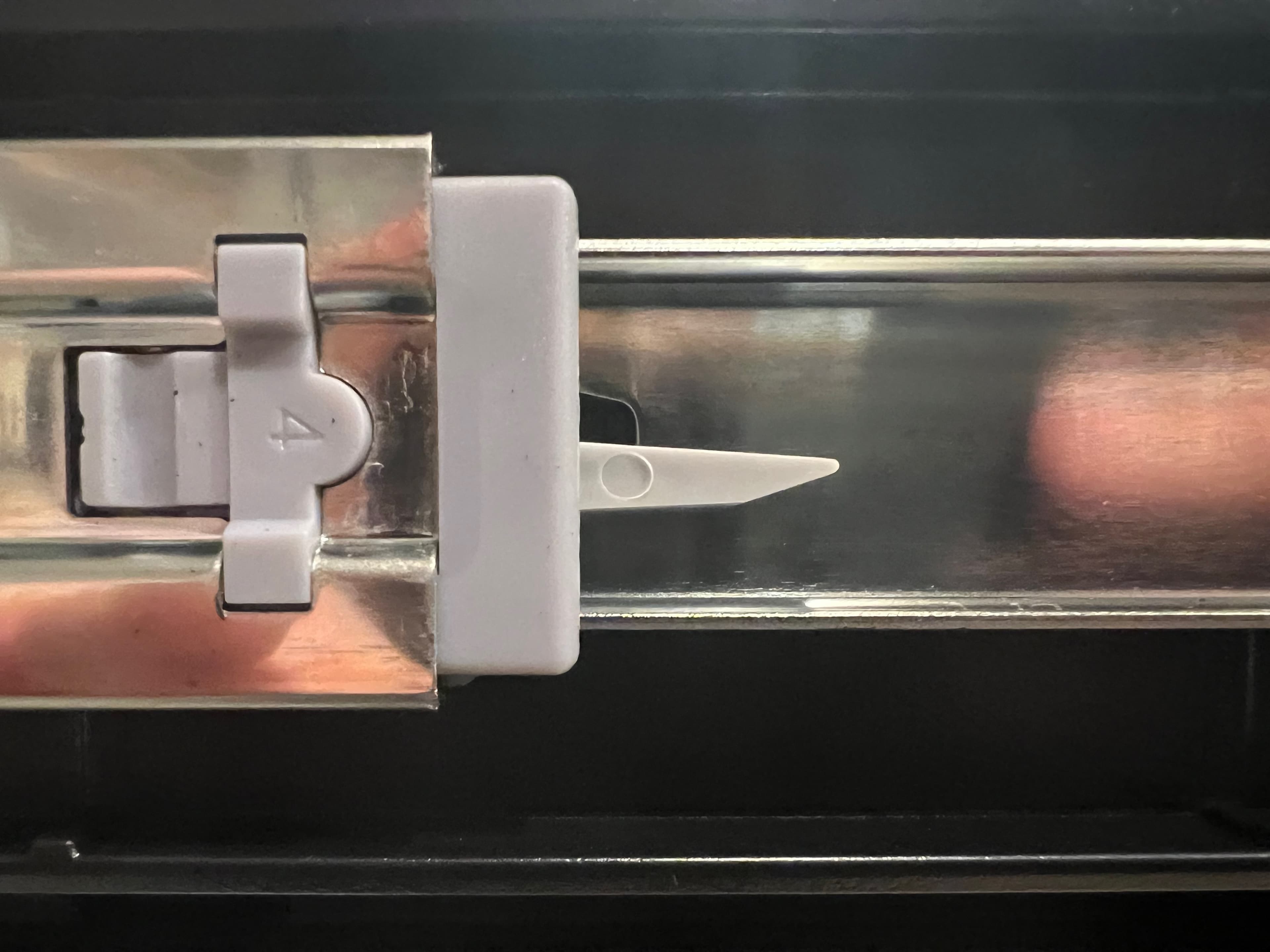
Some case drawers do not pull far enough out for a deep insert to clear the case frame. The drawer slide release latches may need to be disengaged so the drawer can move farther forward during installation. The DEWALT TOUGHSYSTEM 2.0 DXL 30 Deep Drawer is one example of a case that may require this extra access.
- 1. Empty the drawer, fully extend it, and support its weight.
- 2. Locate the release lever on each drawer slide. A common arrangement is to lift the left-side lever up and press the right-side lever down when facing the open drawer. The DEWALT DXL shown here uses this arrangement.
- 3. While holding both levers in their release positions, carefully pull the drawer forward only as far as needed to install the insert.
- 4. After installation, guide the drawer back onto the slides and confirm both sides are engaged before loading tools or closing the drawer.
Drawer hardware varies. Do not force a latch or leave an unsupported drawer hanging from one slide. Check the case manufacturer's instructions if the release mechanism or lever directions differ from the ones shown.
Optional Adhesive Strips
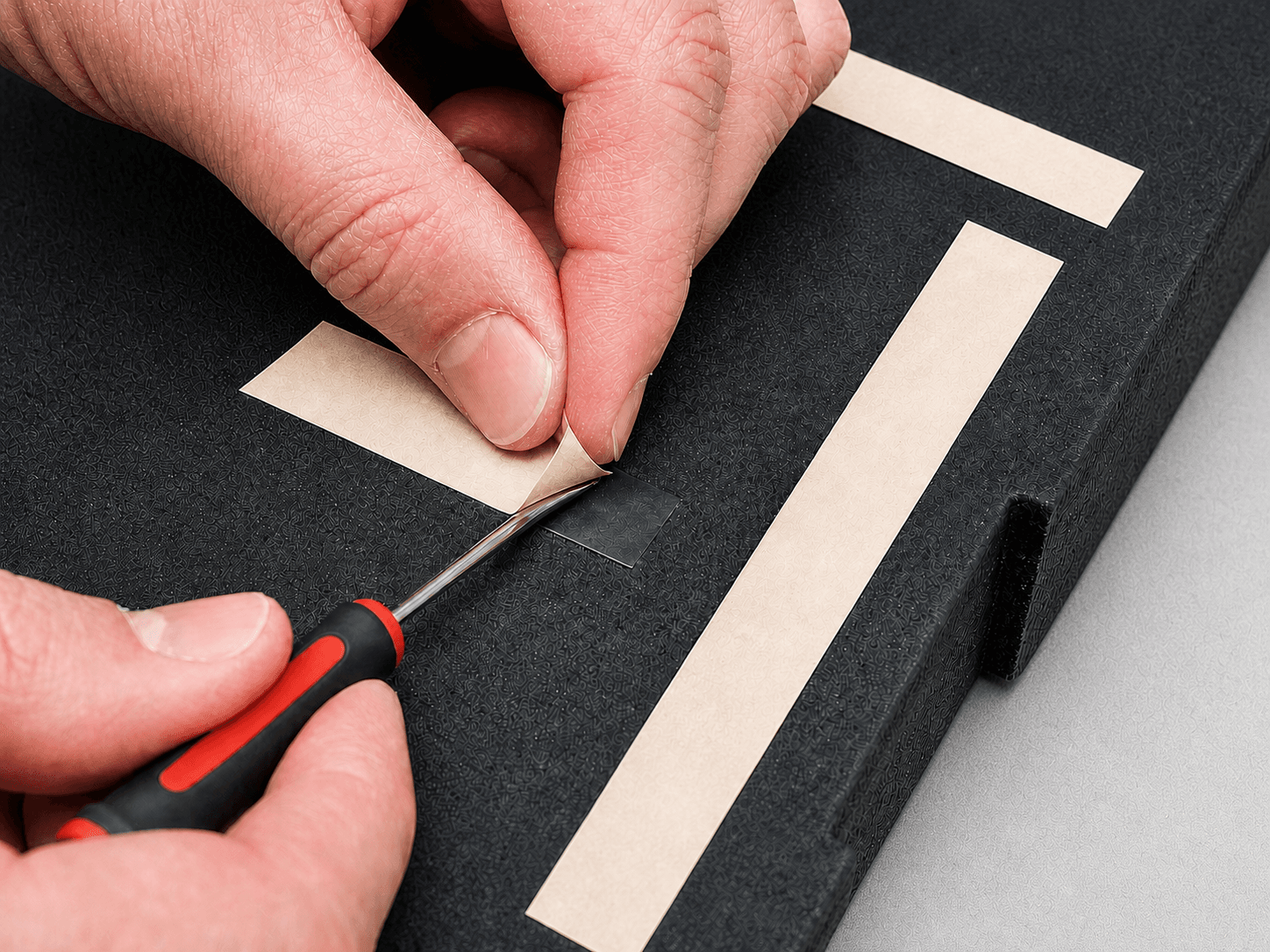
Some inserts include adhesive strips on the bottom, but most users should test the insert without them first. Only expose the strips if the insert shifts during normal use.
- 1
Test without adhesive
Load the tools, close the case, and carry or tilt it normally. Many inserts stay securely in place without the strips.
- 2
Lift only the liner
If adhesive is needed, use a small flat-head screwdriver to gently start a corner, then peel the paper backing by hand.
- 3
Align once and press
Clean and dry the case surface, position the insert carefully, then press firmly over the strip areas for 20 to 30 seconds.
The strips form a strong bond and may be difficult to remove or may mark some case surfaces. They may not be needed at all. Do not expose the adhesive until you have confirmed the fit and decided where the insert will remain.
Foam Care
- Wipe dust and light grime with a dry or slightly damp cloth.
- Use mild soap and water for tougher dirt, then let the foam air dry completely.
- For small surface marks or raised fuzz, lightly pass fine-grit sandpaper over the area. Use gentle pressure, test in a less visible spot first, and avoid sanding pocket edges that affect fit.
- Avoid soaking, high heat, harsh solvents, brake cleaner, acetone, and gasoline. Avoid sharp tools when cleaning.
- Keep oils, adhesives, and chemicals away from the foam unless you have tested compatibility in a hidden spot.
Removing Foam If Needed
Start at the edge
Choose an accessible edge
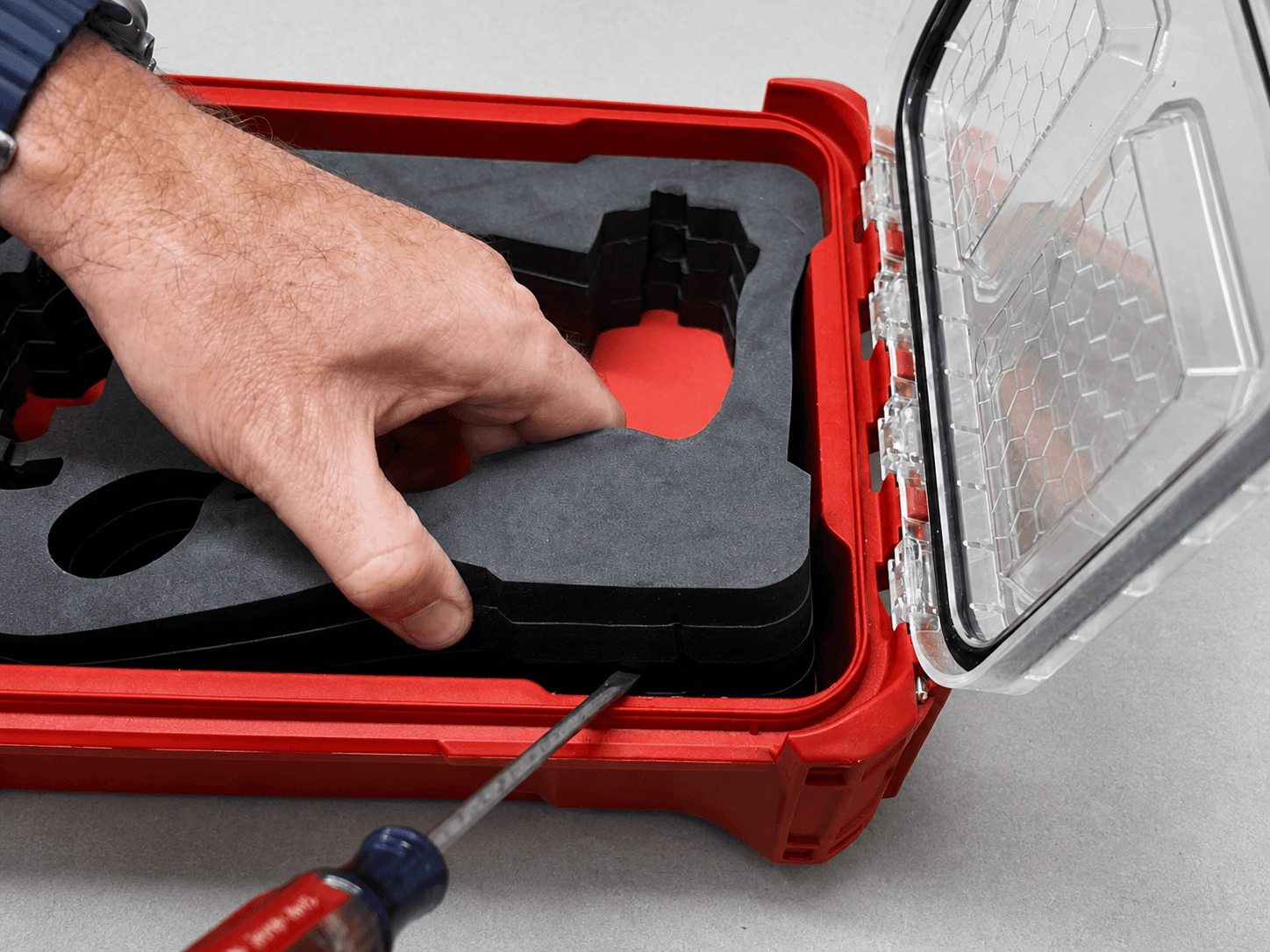
Remove the objects, then find a corner or edge where the insert can flex without stressing a pocket.
Start the gap gently
Place a flat-head screwdriver between the insert and case wall. Use light pressure to lift the foam—do not puncture or cut it.
Work around the insert
Keep one hand on the lifted edge and move gradually around the perimeter instead of forcing one spot.
Protect the case surface from the screwdriver tip. Stop if the foam begins to tear or the case wall starts to mark, then try another edge or use a thin plastic tool.
If adhesive was used
Work dental floss or fishing line gradually along the strip to separate it without gouging the case. Remove any residue with a cleaner that is safe for the case material.
Need Help?
If an insert looks damaged in shipping or does not match the order details, contact GripPlan before modifying it. Include your order information and clear photos.